What GapRail does

Less time deciding.
One practical next step.

GapRail turns your calendars and task list into a recommendation that respects what matters, what fits, and what is already on your day.

A focused toolkit for a crowded workday—without an overloaded dashboard or a complicated setup maze.

Browser-based · Google, Microsoft, and Apple calendars · Read-only by default

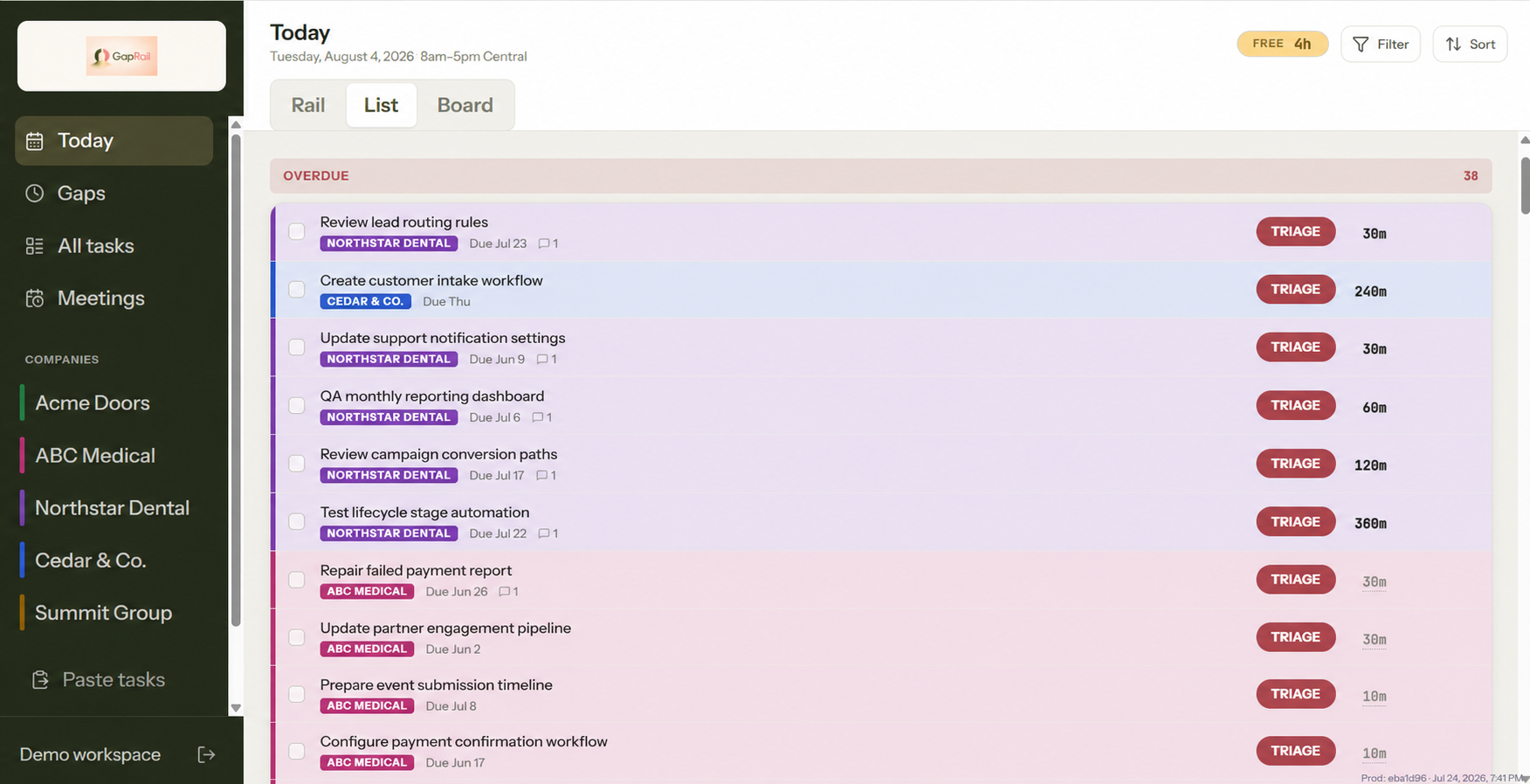
GapRail task list using fictional demonstration data
Your next open gap 9:00–10:00 AM
Best fit found One clear next step

The essentials

A focused toolkit for a crowded workday

No overloaded dashboard, no technical setup maze, and no vague promises. Each part helps you move from competing work to a realistic choice.

01

See the openings between commitments

Connect Google Calendar, Microsoft Outlook or Microsoft 365, and Apple iCloud. GapRail shows when you are busy and when you have room.

02

Know what fits now

GapRail weighs the time available, task duration, and importance to recommend a practical next step.

03

Correct the recommendation

Change the duration, defer it, mark it blocked, or say it is not important.

04

Stay in control of your calendar

Calendar access is read-only by default. Optional write-back is available for Google Calendar only.

05

Handle what repeats

Add weekly repeating busy time and adjust individual occurrences. Recurring calendar events are included automatically.

06

Start with sample data

Try the experience before connecting a calendar.

A recommendation you can act on

One answer, with the context visible

GapRail shows the open time, the best-fit task, and the controls to accept or adjust the recommendation without sending you through another complicated workflow.

You can see why the task fits and stay in control when circumstances change.

Plain answers

What it does—and what it does not

What does GapRail do?

It helps you decide what to work on next, using how important a task is, how long it will take, the time you have, and what is already on your calendar.

How is it different from a task list?

A task list stores your work. GapRail helps you pick which piece of it makes sense right now.

Which calendars work with it?

Google Calendar, Microsoft Outlook and Microsoft 365, and Apple iCloud. You can connect more than one.

Does GapRail change my calendar?

Not by default—access is read-only. Optional write-back is available for Google Calendar only, and only adds and manages the task events GapRail creates.

What about things that repeat?

You can add weekly repeating busy time and adjust individual occurrences, and recurring events from connected calendars are included automatically.

Do I need to install an app?

No. GapRail runs in your browser on phone and desktop.

Does GapRail read my email or send email reminders?

No. Those features are not available.

Can I export or delete my information?

Yes. Account settings includes both options, and you can disconnect a calendar separately.

Try the real product for seven days

Founding-user access is free and invitation only. No payment card is required, and nothing is charged automatically.

Request beta access